> For the complete documentation index, see [llms.txt](https://help.hippoly.com/llms.txt). Markdown versions of documentation pages are available by appending `.md` to page URLs; this page is available as [Markdown](https://help.hippoly.com/using-hippoly/actions.md).
# Actions
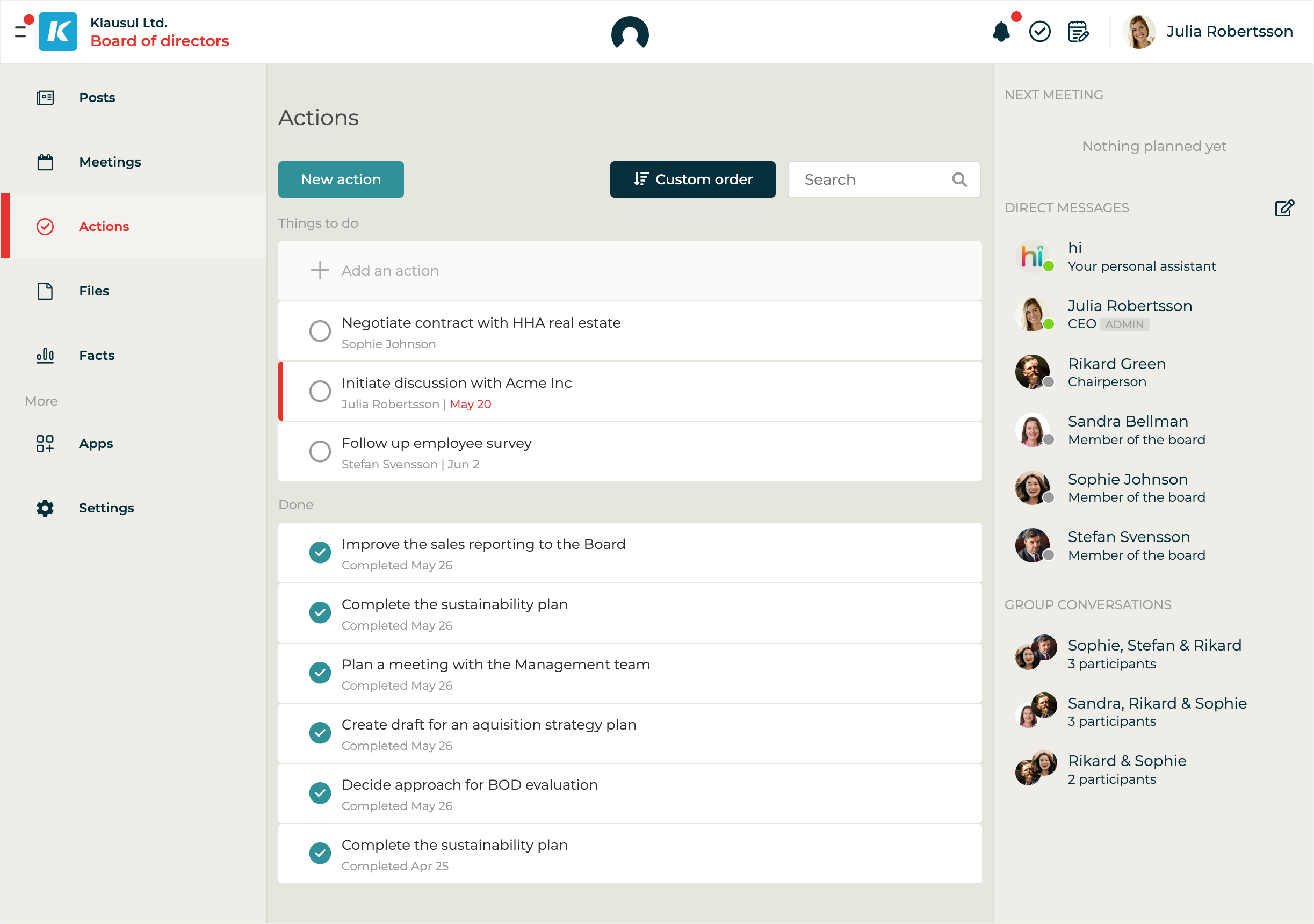
Actions help you capture and follow up on tasks, either from meetings or directly in the workspace. You can assign them to a user, set a due date, and track progress until completion.
## Understand Actions
Actions in Hippoly help you stay on top of tasks and follow-ups, whether they’re shared with your team or just for you.
All **workspace users** can create, update, and delete actions, making it easy to collaborate and take ownership of what needs to get done.\
Each action includes a **title**, and can also have an optional **description**, **due date**, and **assigned responsible user**.
You can also create **private actions,** ideal for personal to-dos, which are only visible to you.
Each **workspace** has its own action list, giving everyone a clear overview of shared responsibilities.\
As a user, you also have a **personal action list** that brings together:
* All actions assigned to you across your workspaces
* Your private actions
Actions can be created **during meetings** to quickly capture next steps. There's no need for linking, they’ll automatically appear in the workspace’s action list.
To keep things moving, Hippoly sends **automatic notifications** to the assigned user when an action is about to be due, and again when it becomes overdue.
## Actions FAQ
Can I attach files to an action?
**Answer:**\
No, at the moment, there is no support for attaching files directly to an action.
Can I assign multiple users as responsible for an action?
**Answer:**\
No, in Hippoly you can only assign **one user** as responsible for an action.
This helps ensure **clear ownership and accountability**, so it’s always clear who’s expected to follow up.
If the task involves several people, you can mention others in the description or create separate actions for each person.
Can I create private actions only available to me?
**Answer:**\
Yes. You can [create Private Actions](/using-hippoly/actions/my-actions.md#create-private-action) that are only visible to you. These are useful for personal reminders or tasks you don’t need to share with your team.
---
# Agent Instructions
This documentation is published with GitBook. GitBook is the documentation platform designed so that both humans and AI agents can read, navigate, and reason over technical content effectively. Learn more at gitbook.com.
## Querying This Documentation
If you need additional information that is not directly available in this page, you can query the documentation dynamically by asking a question.
Perform an HTTP GET request on the current page URL with the `ask` query parameter, and the optional `goal` query parameter:
```
GET https://help.hippoly.com/using-hippoly/actions.md?ask=&goal=
```
`ask` is the immediate question: it should be specific, self-contained, and written in natural language.
`goal` is optional and describes the broader end goal you are ultimately trying to accomplish on behalf of the user. GitBook uses it to tailor the answer towards what is most useful for that goal.
The response will contain a direct answer to the question and relevant excerpts and sources from the documentation.
Use this mechanism when the answer is not explicitly present in the current page, you need clarification or additional context, or you want to retrieve related documentation sections.