> For the complete documentation index, see [llms.txt](https://help.hippoly.com/llms.txt). Markdown versions of documentation pages are available by appending `.md` to page URLs; this page is available as [Markdown](https://help.hippoly.com/using-hippoly/direct-messages.md).
# Direct messages
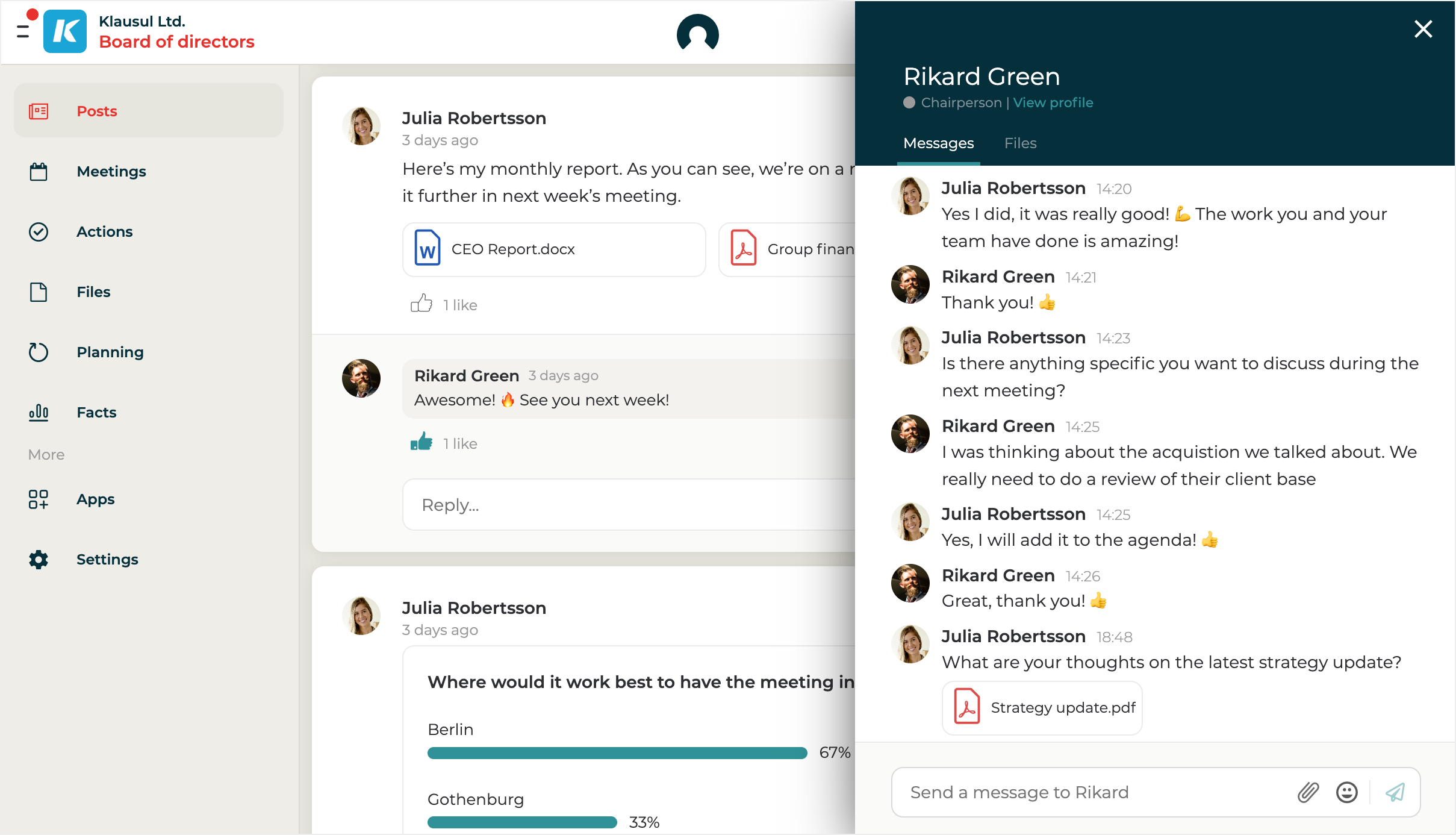
Direct Messages in Hippoly allow you to communicate and collaborate securely, one-to-one with individual team members or in groups - perfect when the whole team doesn't need to be involved.
## Understand Direct Messages
Direct Messages are a smarter alternative to emails and external chat tools for private conversations with individuals or small groups. Instead of scattered messages across different platforms, you can keep all communication secure, organised, and accessible directly within the Hippoly workspace.
You can [upload files and images directly in a Direct message conversation](/using-hippoly/direct-messages/files-in-direct-messages.md). Only the participants in that conversation can access the uploaded files, making it easy to collaborate in smaller groups without sharing content with the entire workspace.
**With the Hippoly mobile app** installed, you’ll always have access to your messages and receive push notifications so you never miss an important update.
**Use Direct Messages when you want to** communicate with a specific person or a smaller group. If you need to share something with your entire team it's better to use [Posts](/using-hippoly/posts.md).
Direct messges in Hippoly
## Direct Messages FAQ
Can I delete a direct message I sent by mistake?
**Yes.**
Move your cursor over the message and click the Trash-bin-icon. [Learn more about deletion of direct messages.](/using-hippoly/direct-messages/delete-direct-message.md)
If I send a direct message, will the recipient be notified?
**Yes.**
The recipient will receive a notification in the app and, if they have the Hippoly mobile app installed, also via a push notification. If the recipient hasn’t read the message within 10 minutes, an email notification will be sent as well. [Learn more about notifications in Hippoly](/using-hippoly/notifications.md).
Who can see files I upload to a Direct Message conversation?
Only the participants in that specific Direct message conversation can see the files you upload there.
The files are not visible to other users in the workspace unless you move them to a Shared folder.
Can I send direct messages cross my workspaces?
**No.**
If you want to send a message to a user or a group in a specific workspace you need to navigate to that workspace first.
---
# Agent Instructions
This documentation is published with GitBook. GitBook is the documentation platform designed so that both humans and AI agents can read, navigate, and reason over technical content effectively. Learn more at gitbook.com.
## Querying This Documentation
If you need additional information that is not directly available in this page, you can query the documentation dynamically by asking a question.
Perform an HTTP GET request on the current page URL with the `ask` query parameter, and the optional `goal` query parameter:
```
GET https://help.hippoly.com/using-hippoly/direct-messages.md?ask=&goal=
```
`ask` is the immediate question: it should be specific, self-contained, and written in natural language.
`goal` is optional and describes the broader end goal you are ultimately trying to accomplish on behalf of the user. GitBook uses it to tailor the answer towards what is most useful for that goal.
The response will contain a direct answer to the question and relevant excerpts and sources from the documentation.
Use this mechanism when the answer is not explicitly present in the current page, you need clarification or additional context, or you want to retrieve related documentation sections.